
“
Instead of scrambling to remember, I can pull up the right response instantly, send it with confidence, and keep service consistent across our team.

JC HudgisonChief Building Official
City of Tampa, FL
City of Tampa, FL
Give every staff member instant access to department-approved responses, the correct forms, and clear next steps—without leaving the inbox they already use.

No tab switching. No separate system.
When approved language lives in old emails, shared drives, or one experienced employee’s memory, simple questions become slow, inconsistent, and harder to defend.
Teams dig through folders, old threads, and documents to find wording they trust.
Small variations in wording, links, or required steps create confusion and repeat contacts.
Outdated guidance or missing details can lead to escalations, rework, and preventable delays.
Instead of scrambling to remember, I can pull up the right response instantly, send it with confidence, and keep service consistent across our team.
Acta fits into the response process your staff already follows, so adoption is simple and the value is immediate.
Reply to an email and open the Smart Response System directly from the Outlook Apps menu or pinned toolbar.
Search by keyword or browse department categories to find the response that matches the resident’s request.
Acta inserts the approved language, links, and attachments. Staff can personalize details, review, and send as usual.
This simplified demo mirrors the staff experience inside Outlook: choose the right block, review the department-approved response, and send.
Demo content is illustrative and intentionally uses generic jurisdiction language.
Acta combines vetted language with the practical pieces that prevent another email: required information, correct links, attached forms, and a clear explanation of what happens next.
Leaders manage one approved version, so staff are not relying on outdated saved copies.
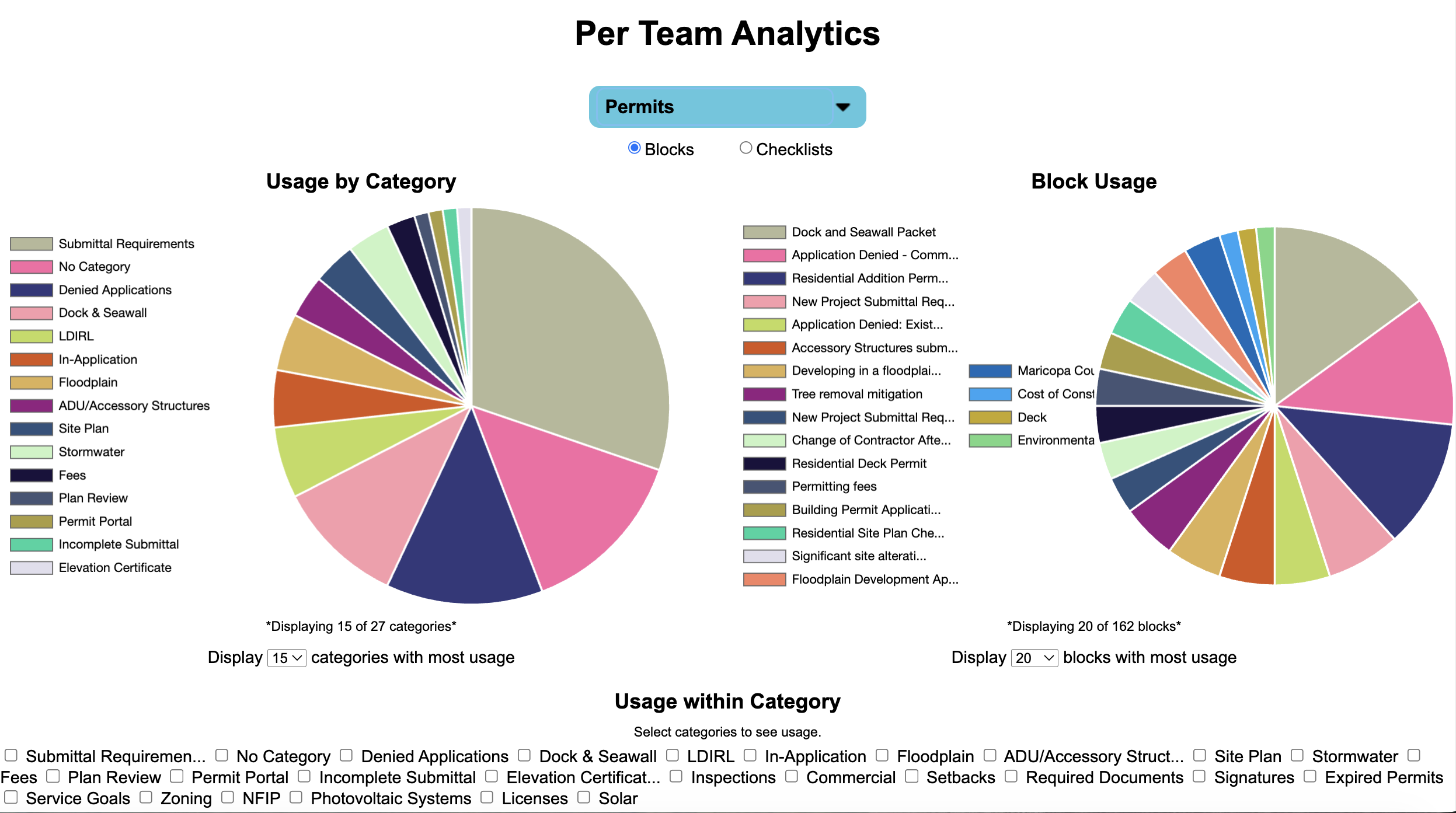
See which blocks staff use most and use response data to improve content and workflows.
Include the right forms and links from the start to reduce follow-up emails.
Combine approved blocks when one resident request covers multiple topics.
The Smart Response System helps teams move quickly while keeping every answer accurate, consistent, and aligned with department policy.
Give staff ready-to-send information instead of asking them to write routine answers from scratch.
Use the same approved language across employees, shifts, teams, and resident channels.
Include clear next steps and the correct resources the first time a resident reaches out.
Limit off-script answers and keep reliable guidance accessible during turnover or volume spikes.
From permits to voter support, Acta helps departments standardize the high-volume communication residents depend on.
Permit requirements, incomplete submissions, plan-review updates, inspection scheduling, fees, and next steps.
Process guidance, rezoning steps, meeting preparation, ordinance links, and approved explanations.
Registration guidance, absentee-ballot support, deadlines, official resources, and time-sensitive routing.
Records requests, incident reporting, non-emergency guidance, safety information, and consistent public messaging.
Acta is designed to be a low-lift addition to the tools and processes your staff already use.
No. The Smart Response System opens directly inside Outlook, allowing staff to search, insert, review, and send approved content from the same email window.
Your department controls its content. Authorized administrators create and update the approved response blocks, links, attachments, and next steps available to staff.
Yes. Acta inserts the approved foundation into the email draft, and staff can add resident-specific information or context before reviewing and sending.
Yes. Blocks can include approved links and attachments so residents receive the correct materials with the first response.
No. Acta is used across Building, Planning, Elections, Public Safety, Code Enforcement, Business Licensing, Animal Services, and other resident-facing teams.
In 20 minutes, we’ll look at your current communication workflow, identify repetitive requests, and show where Acta could save time and strengthen consistency.
Schedule Your Assessment →